When learning how to write good blog content, it’s important to understand what search engines are looking for. Search Engine Optimization (SEO) is important but it will never replace what your audience is looking for or meeting their needs.
Before creating content or just writing articles it’s important to create a strategy.
Start with an excel file where you can store content ideas, titles, related articles and products. The two website tools I use are keywordtool.io and Google. When starting to research content try and answer the questions below with your audience in mind:
What problem are you trying to help them solve?
What need are you helping them fulfill?
What questions are they looking for an answer to?
After you answer the questions above think about what your audience would type into a search engine like Google. Take note of those keywords, phrases and questions. This will make it easier to create your content around a phrase or a question rather than a single word.
When you are needing ideas for content use the alphabet soup method.
This works by starting to type a phrase or question and then letting Google tell you what people are looking for with predefined searches. These are searches other people have frequently used.
Using the example
“How you write good content, for a ?”
Start using the alphabet to see what google has registered as predefined searches. I have used the letters c and e in the images to your right.
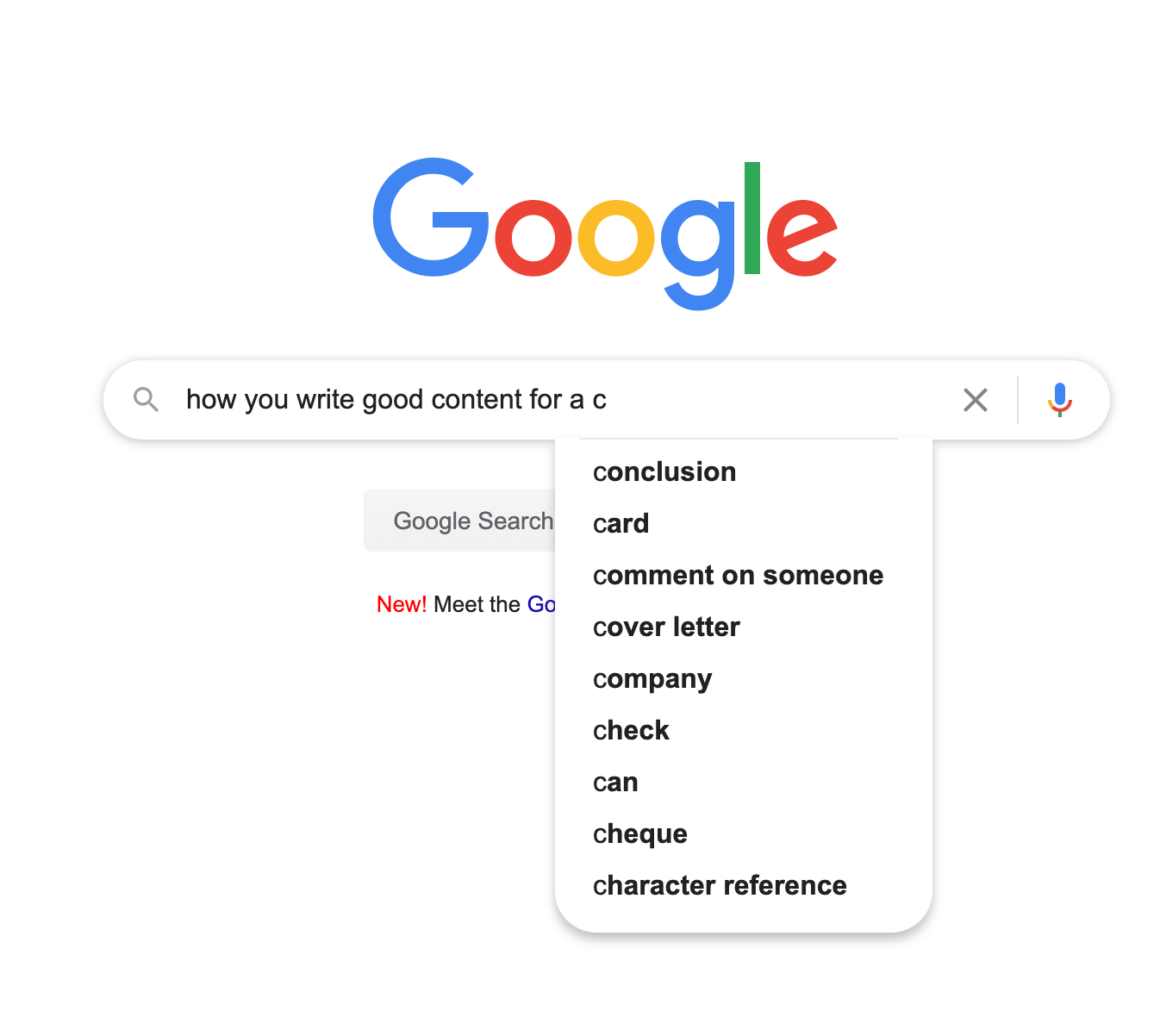
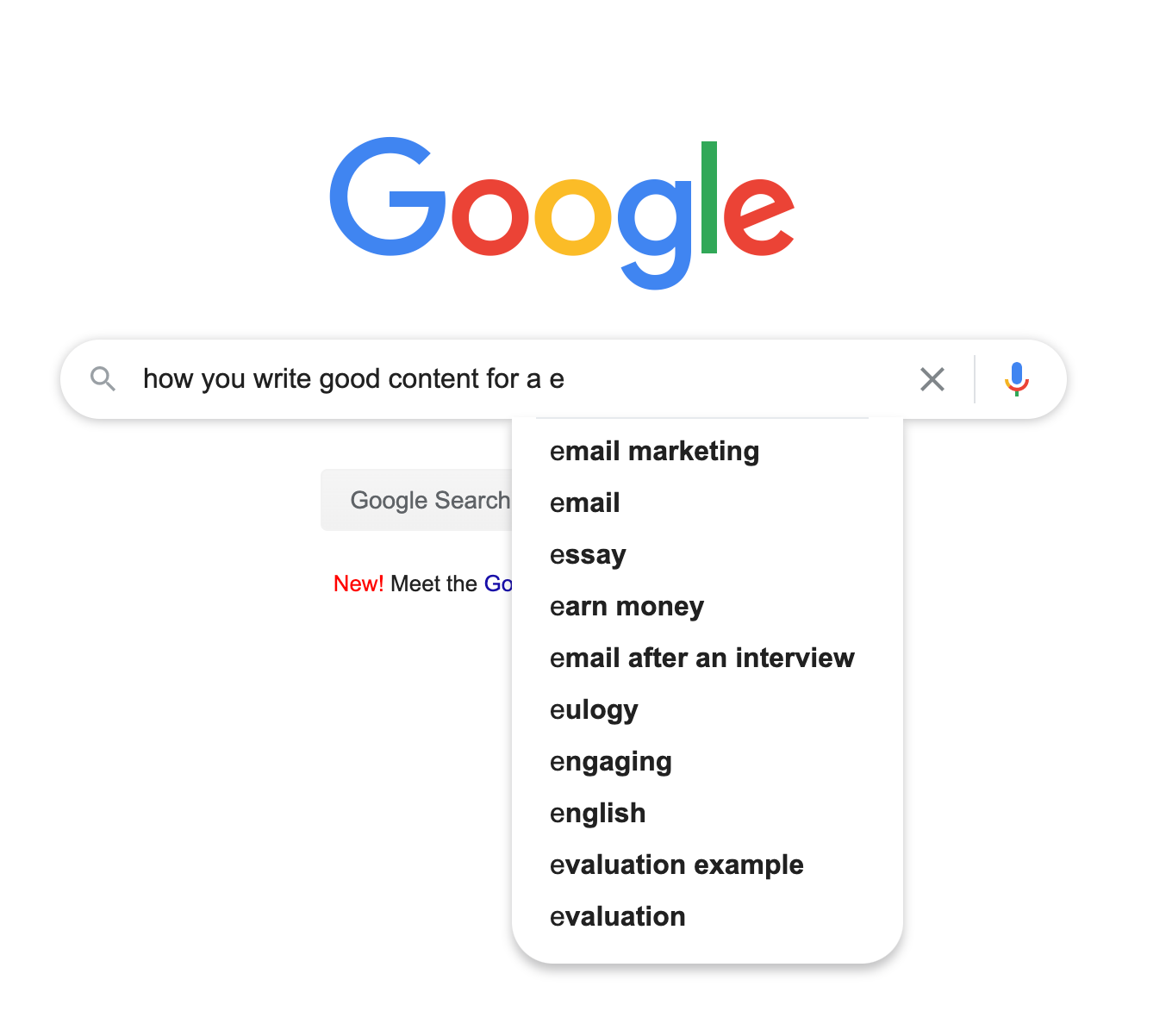
Once you have decided on your main topic, type that question into the website keywordtool.io or Google. I use the keywordtool.io first and type your question into the search bar.
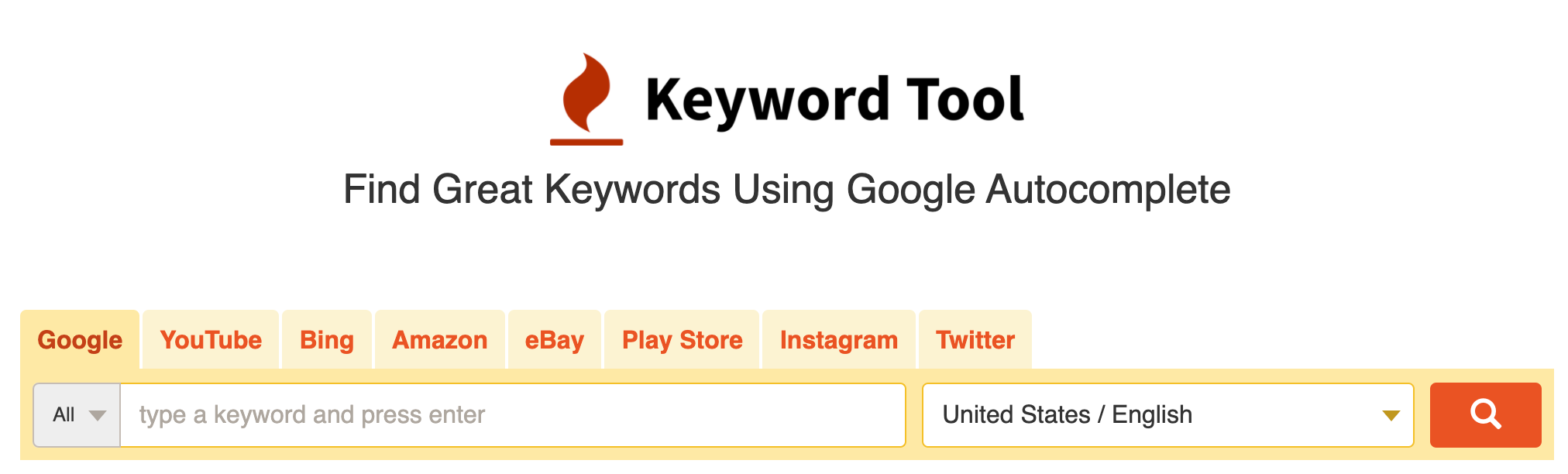
Once done it will open a second window with some results. Just for information I only use their free services. I don’t recommend paying for keyword search tools.
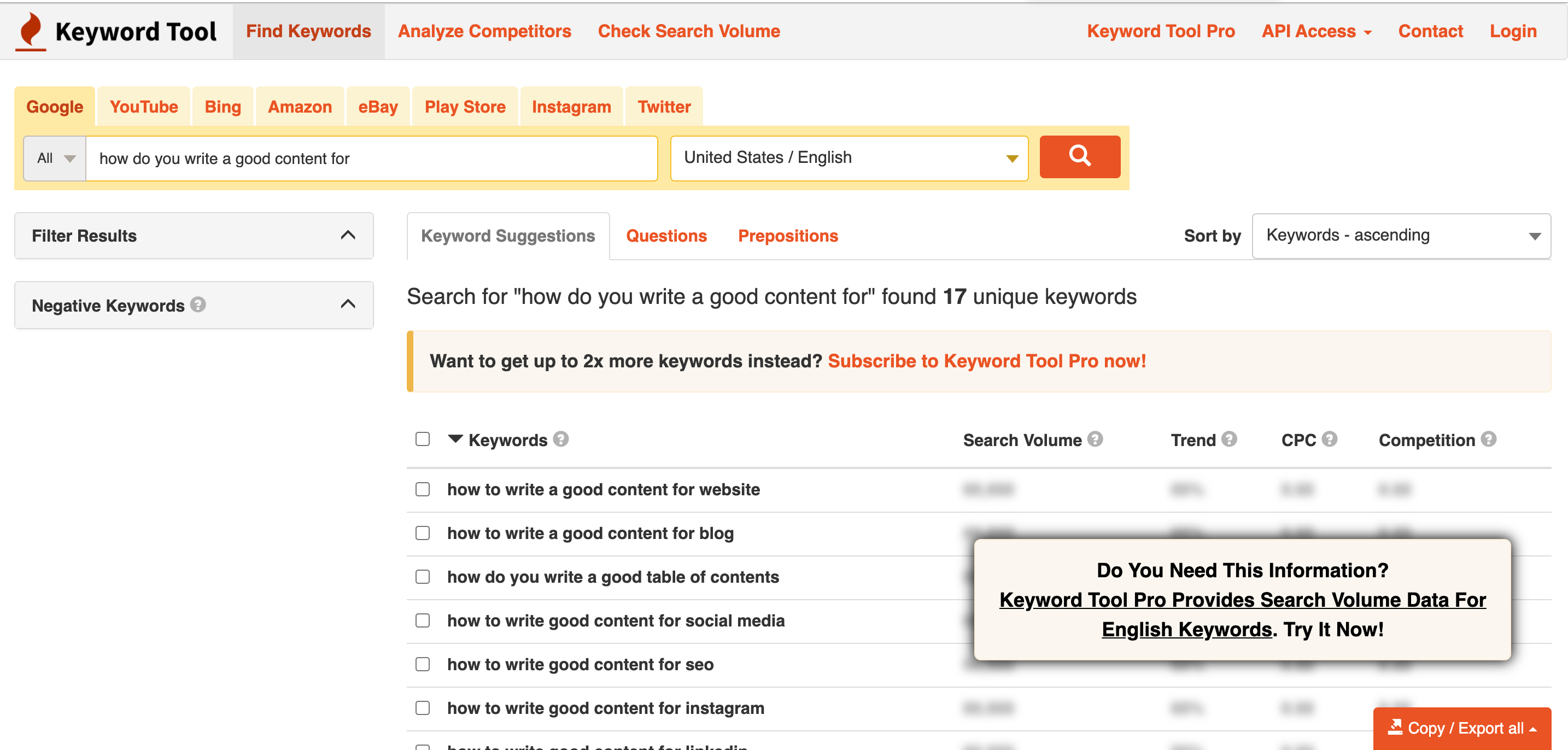
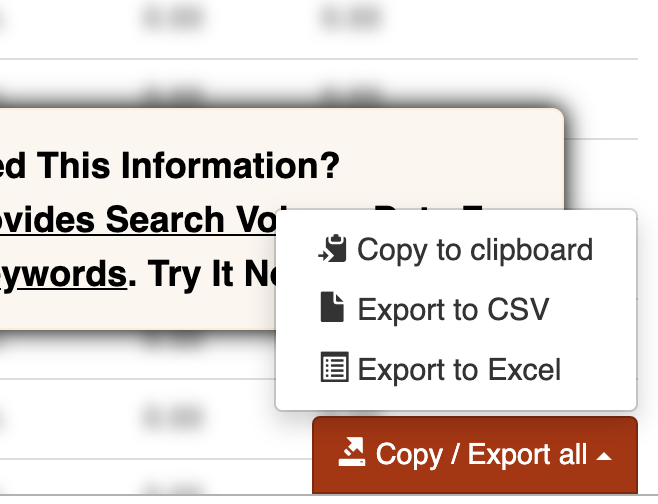
Once you get your results, navigate to the bottom right hand side of the screen you can export the results.
You have the options to copy to a clipboard, export to a CSV file or Excel File. However you choose to export this information add it to your spreadsheet. This spreadsheet can then be used to start to plan your content.
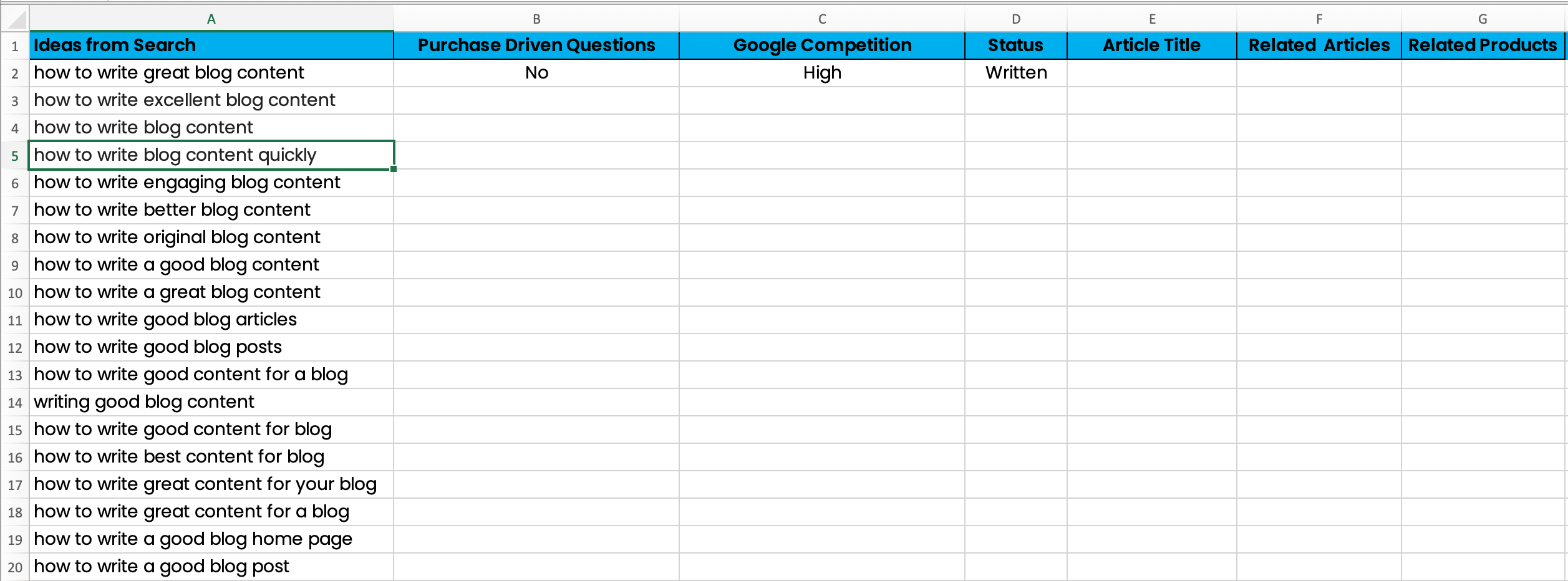
This is an example of a spreadsheet for organizing your ideas. You can see your search ideas on the left and row headings for Purchase Question, Competition Article Titles, Status, Related Articles and Products.
This spreadsheet is what you can use to start making a plan for content. Once your start writing your content you will need to follow a few guidelines for the best SEO. This is what helps your content get found on search engines.
Ideas for search – In this column you can type or past your ideas for keyword phrases.
Purchase Driven Questions – Type your Keyword Phrase into Google search and review the search results. Are there any questions that appear in the search results that would drive a purchase. Example Questions “what is the the best cat litter,” “what is the best drone for beginners.” These are questions someone would search when the are ready to make a purchase.
Google Competition – Is the competition high, medium, low or none.
- High Competition is anything more than 4 ads. Also look at the search results are the items found there good responses? Are they readable, easy to follow and clear?
- Medium 2-4 ads and the other results how are they.
- Low 2 ads or less and the other results how are they.
- None- means that there are no ads and the search content has little or no relatable posts.
Status – Did you write about the topic, schedule it for another time, or reject for some reason.
Related Articles – What are the other topics that can be link or relate to this idea
Related Products – What are the products people need to complete this “how-to.” If you are comparting products which ones
Title Readability
Make sure your keyword phrase is in the title of your article. This will also make it part of the of the web address. When creating your title keep in mind the answers to the following questions.
What problem are you trying to help them solve?
What need are you helping them fill?
What questions are they looking for an answer to?

Numbers are good in a titles because it implies there are simple steps to follow in a list or guide. Odd numbers are good under 9 but after 10, use increments fives and ten. The bigger the article try and group lists or steps together in two’s or threes so that it’s easy to follow.
3 steps to Keyword Phrase
5 tips for Keyword Phrase
7 ways to Keyword Phrase
For this purpose, it can also be good to add a positive or negative sentiment to your title. You can also use power words like (save money, free, unique, discover and create). You can see more power words at optinmonster.
See the below examples:
List 3 tools to save Money on a Business Start Up (Positive)
Avoid 5 Common mistakes when Naming your Business (Negative)
Main Content
These recommendations are only second to the quality of your content. Your audience should always be the main focus of the content. Bold your first paragraph and make sure it gives the short answer, solution, or description of your content. Repeat your keyword phase if possible. There are several types of content, the most common are:
Problem / Solution
Checklists
Product Review / Comparisons
Pillar posts, are foundational content and supports your business purpose. These articles are longer content that educate your audience by supporting the background of what you sell or teach. About 33% of your content should be pillar posts between 1500 and 3000 words.
Some examples include:
If your blog is about cooking, a pillar post could be “How to arrange your Kitchen for cooking” or “What tools you need for a specific type of cooking”
If you focus on Art ” What are best kinds of lighting needed in the work area”
Other Main Content Elements
- Break your content into sections by using a Bold Heading 2
- When adding images use your keyword phrase as the ALT Text
- Use internal links to other content you created or products you sell. This shows you have more than one article for your audience.
- External links help establish credibility for your site especially for a new blogger.
- Use images and videos when you can
Rank Math WordPress plugin is great tool to help check your content for SEO requirements. Don’t get caught up trying to make a perfect score. Remember this tool is just a guide. Your number one priority is creating useful and helpful content.

Content Writing Help
If you are just getting started with your blog and overwhelmed by the idea or writing content from scratch you can outsource some of the writing. There are a lot of writing services out there to help you get started. You can outsource all or part of an article. I recommend that you always proofread outsourced articles.
Textun, fiverr, and Upwork are great places to get content written by english speaking writers.
Create a Better Blog
This article should help guide through creating great content for your blog that can easily be found by search engines. If you want to learn more about “Creating A Better Blog,” I have created a course to walk you through the process from beginning to end. Email us below and for a limited time we will send you a coupon code for the course.